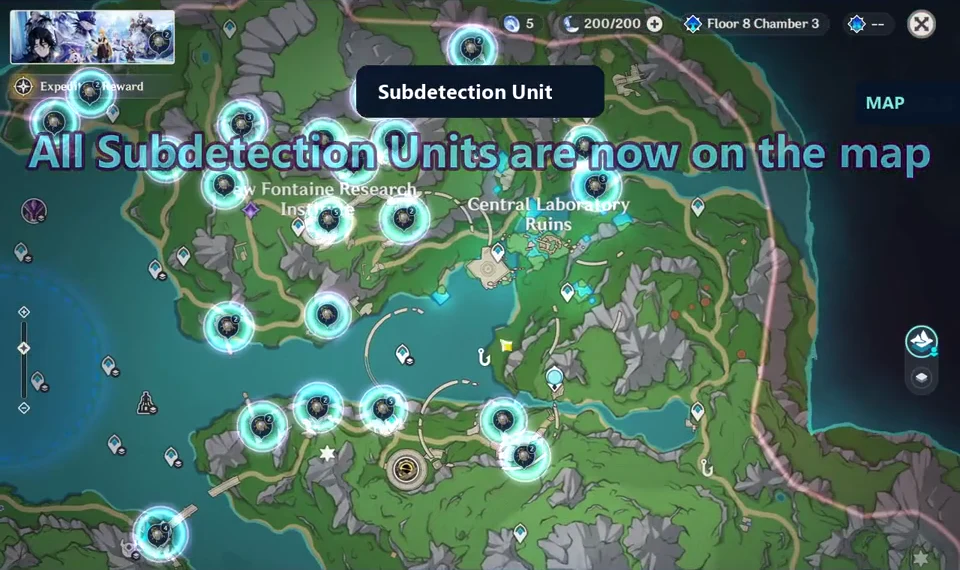
01 / FULL MAPTick a resource.
Tick a resource.
Light up your map.
Search for a material and select it. Its locations appear on the game map and stay in place as you move the map.
 Oufle 欧芙

YOUR IN-GAME FARMING COMPANION
Find the materials you need with in-game map overlays. Pick a resource on your full map, then follow its mini-map markers as you explore.
Windows 10 / 11
FROM PLANNING TO PICKING
Two views. One simple way to find what you need.
Search for a material and select it. Its locations appear on the game map and stay in place as you move the map.
Bring the locations with you. Resource markers on your mini-map help you find the next material while you play.
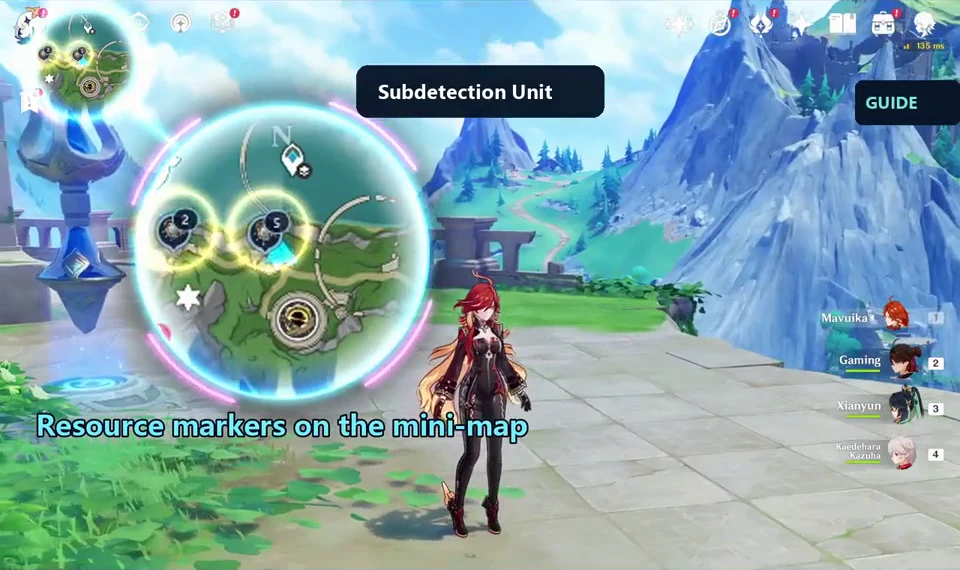
Subdetection Unit demo · Mini-map enlarged for visibility.Read the map guide ↗
01 / PLAY, WITH A LITTLE HELP
Oufle’s small buttons appear only on the screens where they help. Your game stays centre stage.

WISH ANALYSIS
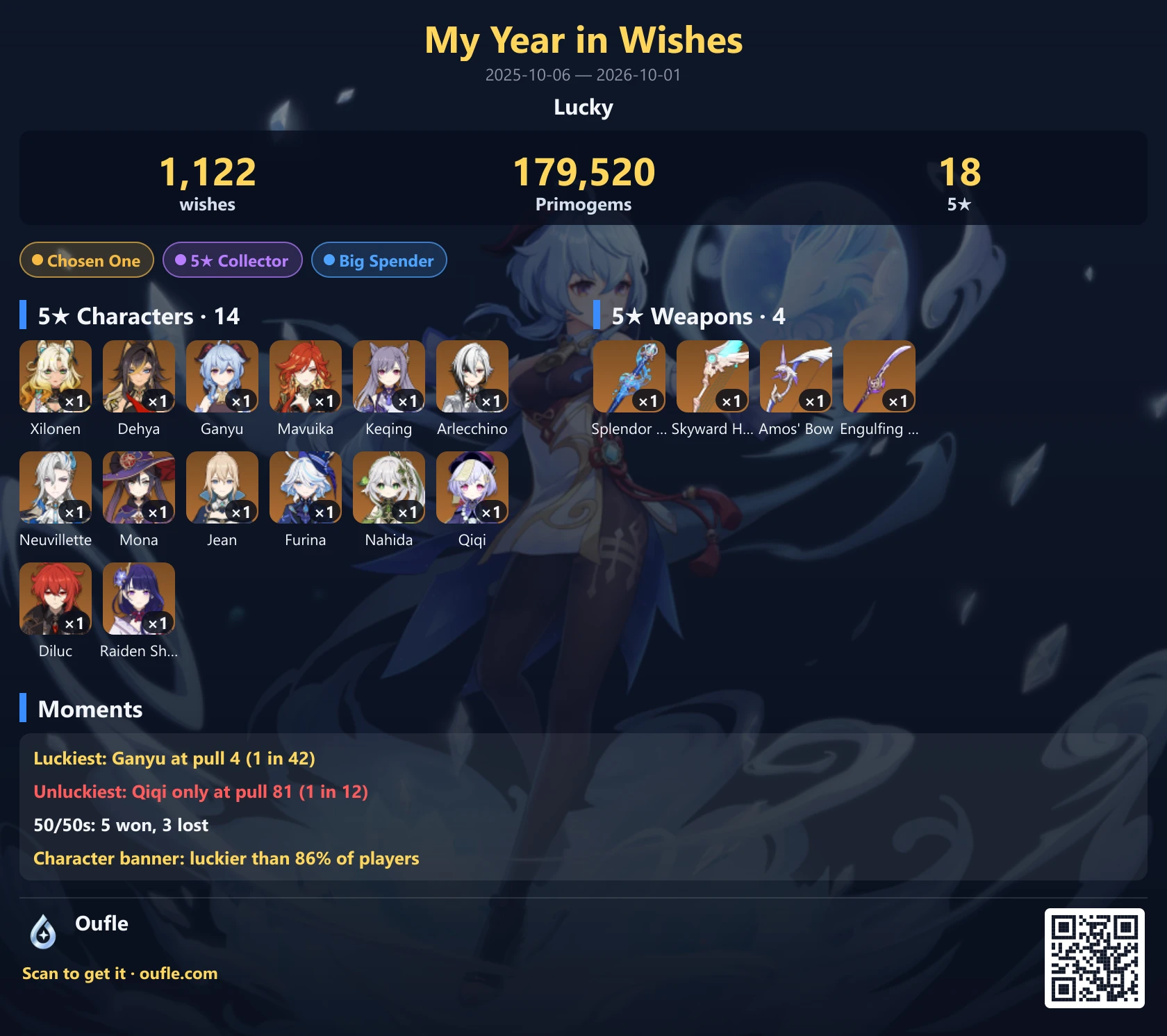
Keep your history close. See pity, 50/50 results and your year in wishes, then share the moments worth remembering.
How wish analysis works ↗
CHARACTER BUILD
Understand your Character Showcase with artifact scores, stats and a build grade.
Explore character builds ↗
ARTIFACT RATING
See a character-aware rating beside the artifact you’re viewing.
Oufle sign-in required
PROMO CODES
New codes from several sources are collected every hour, dated when found and shown in the app with their rewards.
See today’s codes ↗02 / READY WHEN YOU ARE
 01
Install the Windows companion. Choose English or Chinese.
 02
Use windowed or borderless mode. Available tools start automatically.
03Find contextual tools at the bottom centre of the game.
Windows 10/11 (64-bit) · English / 中文 · Version 0.8.9 · 178 MB
Wish analysis, character builds, map pins and mini-map tracking work as a guest. A free Oufle account adds artifact ratings and private backups of your wishes and builds.
Your Oufle accountSeparate from HYE and HoYoverse. Sign in separately in the desktop app.
YOUR ADVENTURE, AT A GLANCE
Separate character and weapon collections, duplicate counts, and your luckiest moments. Export a clear, high-resolution card directly from the wish panel.
 11,880


 10K
 5